Requirements
- MySQL Connector/J, licensed under the GPL or a commercial license
from MySQL AB.
- NetBeans with JRE (Java Runtime Environment).
Step-by-Step guide
- Installation
- Install NetBeans.
- Download MySQL Connector/J, name ‘mysql-connector-java-5.0.6.zip’. (The file name may differs depends on the version if you’ve downloaded from the Official Site at here.)
- Extract the zip file to a folder, you’ll see file ‘mysql-connector-java-5.0.6-bin.jar’ which is the library file that we want. Just copy the file to the library folder, for example to “C:\Program Files\Java\jdk1.6.0_02\lib” directory.

- Add JDBC Driver to the project on NetBeans (Add a library).
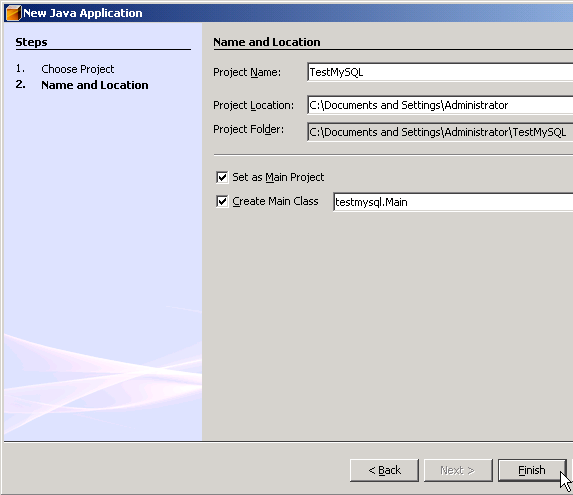
Next, I create a new Java project on NetBeans named ‘TestMySQL’ and add ‘mysql-connector-java-5.0.6-bin.jar’ that I’ve just extracted from previous step to the project’s library. - Create New Project called TestSQL.

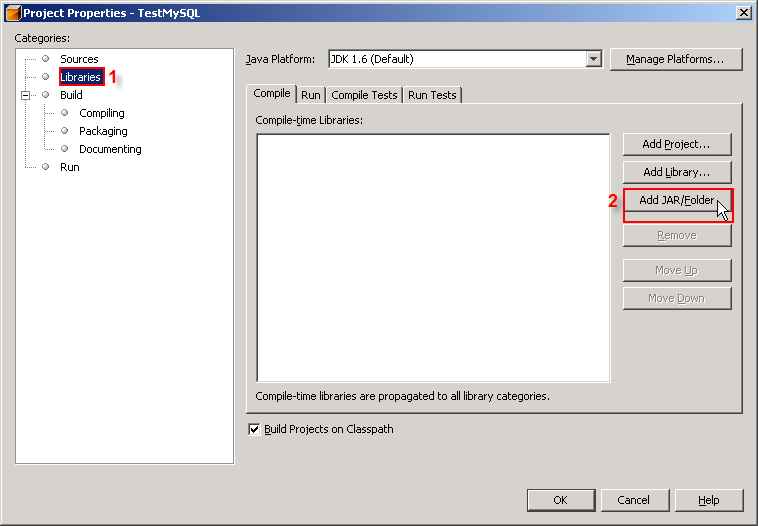
- In Projects window, right click the project name and select Properties.

- Project Properties window appears. The Categories on left side, select Libraries. And on right side in Compile tab, click Add JAR/Folder.

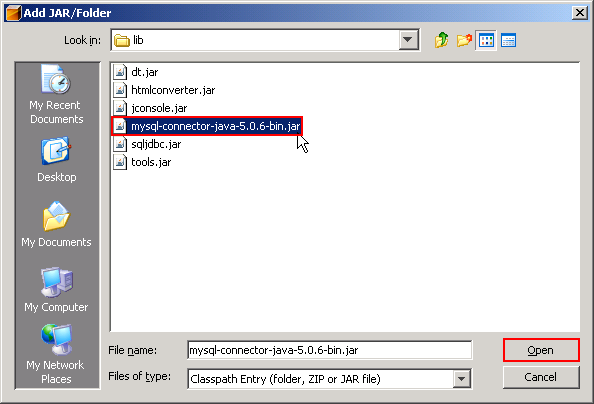
- New Window appears, browse to the file ‘mysql-connector-java-5.0.6-bin.jar’ and click Open.

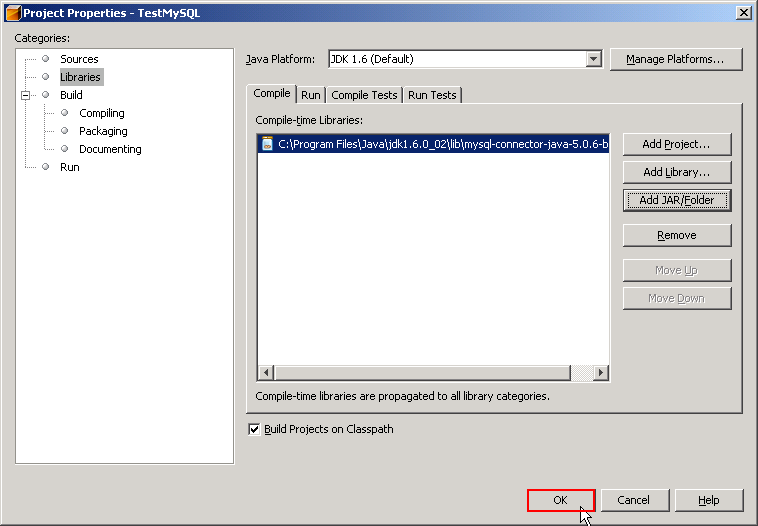
- You’ll see the .jar file was added to the project. Click OK to finish.

Note: You should keep mysql-connector-java-5.0.6-bin.jar in the directory that you won’t delete it (ex. not in temp folder). May be in the same directory that keep common library files. If you delete the file without delete a link from the project, the project will show error about missing library.
- Connect to the database.
Now I’m going to write some code to connect to MySQL database. I have configured MySQL service on localhost. - I’m going to use Connection and DriverMapper Classes so I need to import libraries.
import java.sql.*;

- I’ll connect to MySQL Server on local machine, the mysql database(a default database in MySQL). In main method, add the following code.
try {
            Class.forName("com.mysql.jdbc.Driver");
            String connectionUrl = "jdbc:mysql://localhost/mysql?" +
                                   "user=root&password=123456";
            Connection con = DriverManager.getConnection(connectionUrl);
        } catch (SQLException e) {
            System.out.println("SQL Exception: "+ e.toString());
        } catch (ClassNotFoundException cE) {
            System.out.println("Class Not Found Exception: "+ cE.toString());
        }
- Class.forName(“com.mysql.jdbc.Driver”); means load the MySQL driver.
- “jdbc:mysql://localhost/mysql?” + “user=root&password=123456″; is a connection string that tells to connect MySQL on localhost, select database named ‘mysql’ and user/password for MySQL server.
If you would like to connecto to other database, simply change text ‘mysql’ after ‘localhost/’ to your database name.

- Compile and run the project. If no error occurs, it means that the connection has established successfully.

Next part, I’ll show to how to perform some basic SQL operations to MySQL.